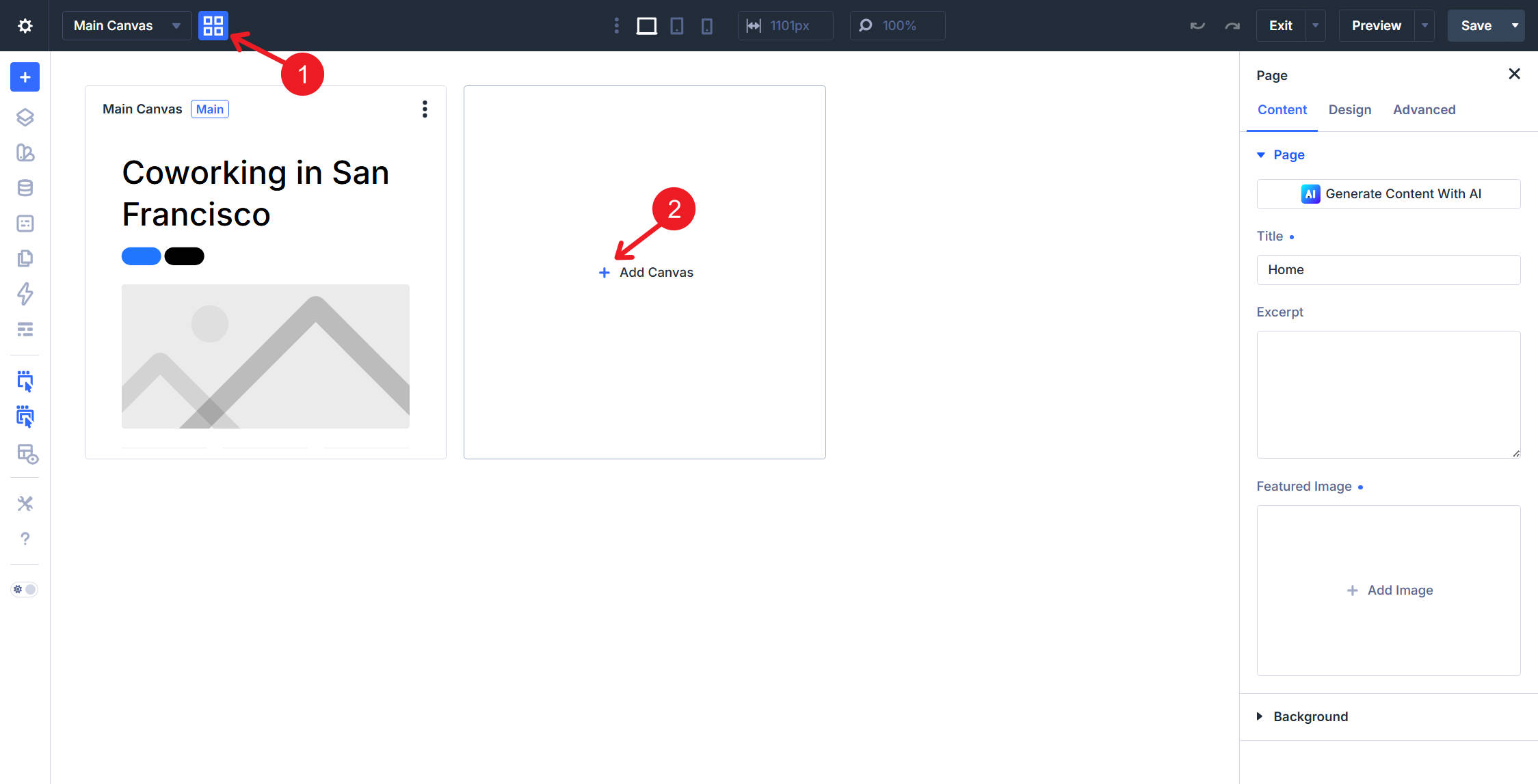
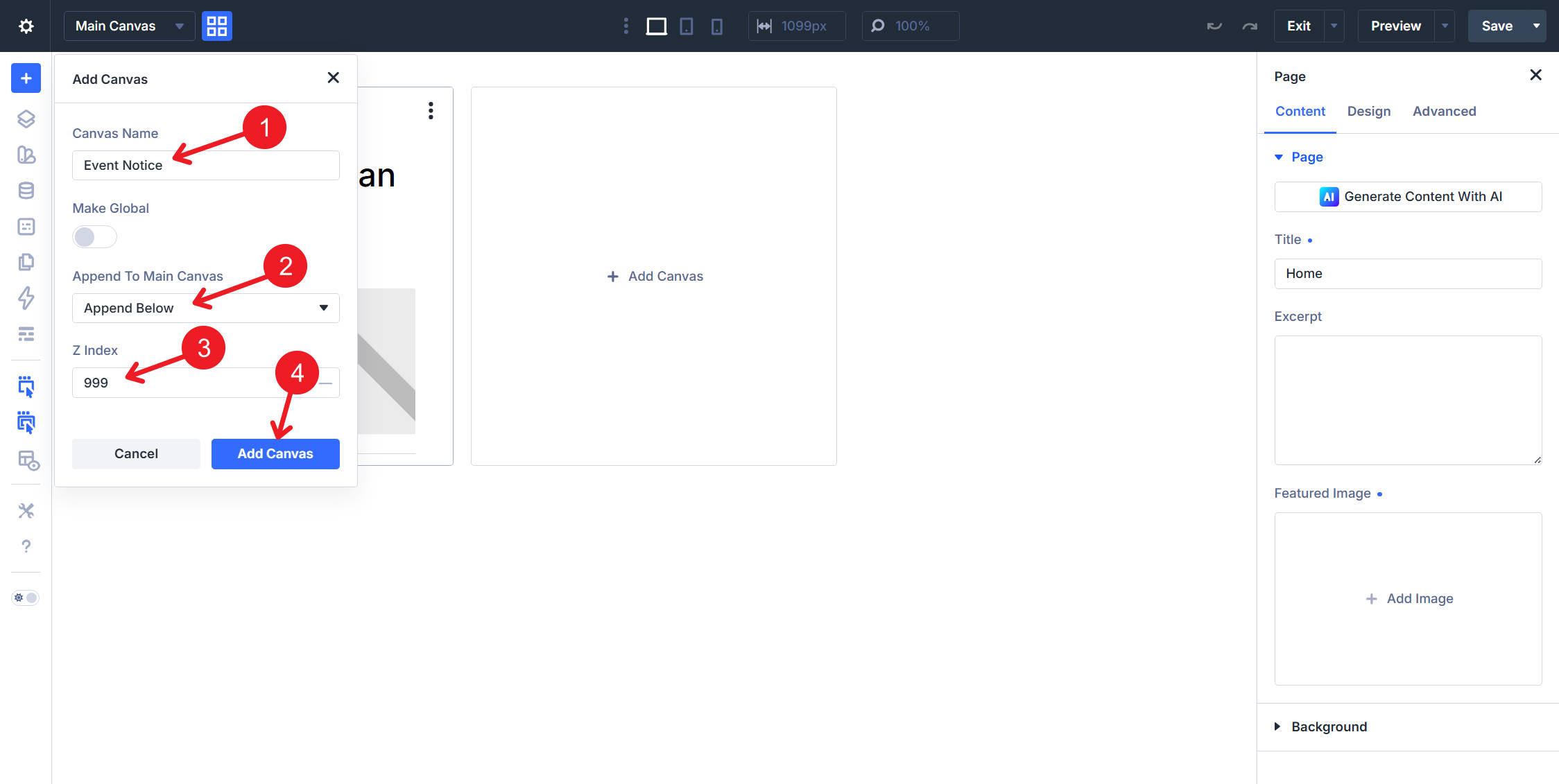
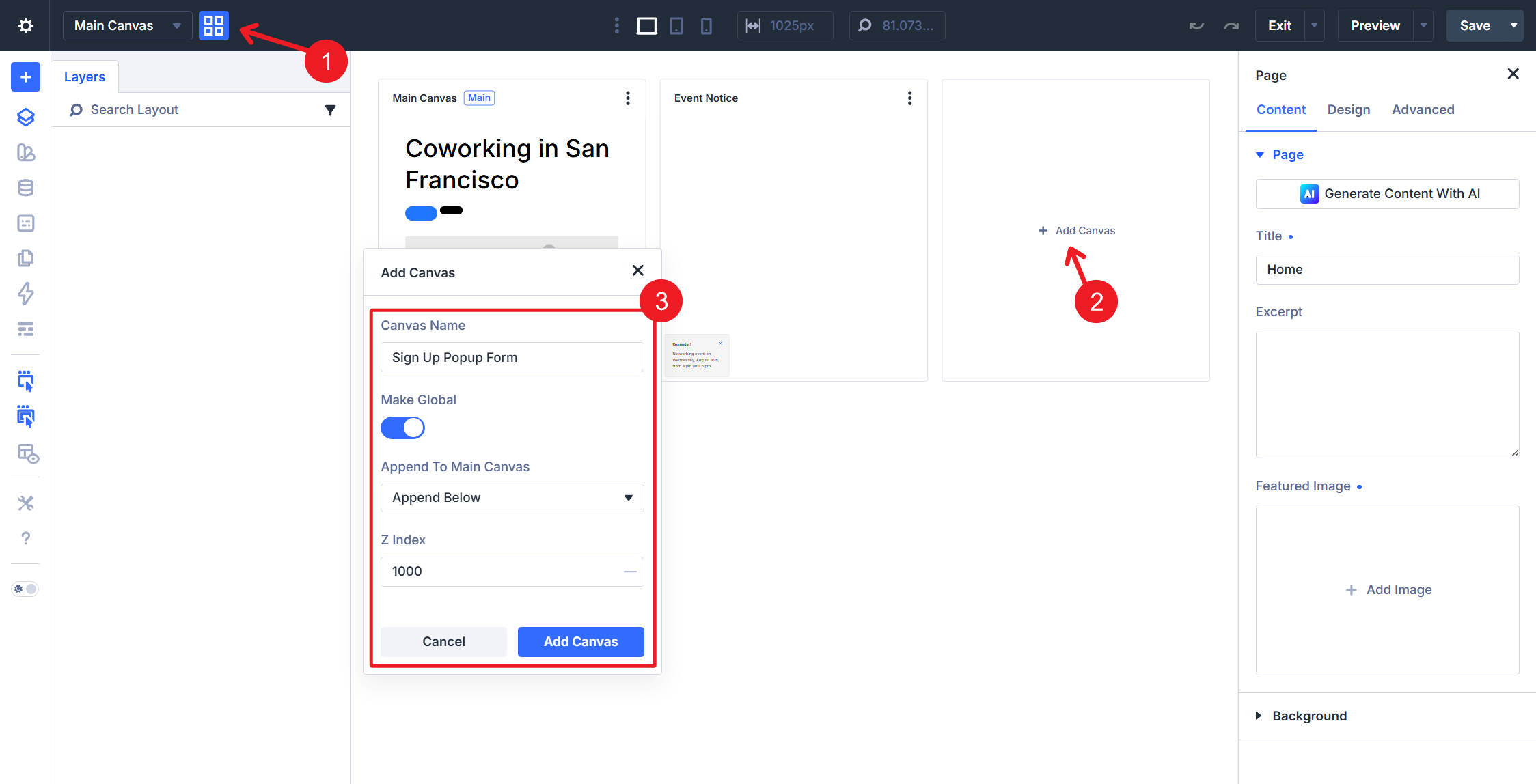
Every site eventually needs UI that lives outside the page’s normal content flow: a pop-up, a sticky reminder, a slide-in panel, or a confirmation prompt. In Divi 5 , you can build these with Canvases. A Canvas is a detached design workspace that exists alongside the main page canvas. It is not a module dropped into the page layout. Instead, it gives you a separate workspace for off-canvas UI, pop-ups, menus, staging layouts, and other designs that should stay separate from the main page while you build. This part of the Mastery Course covers two Canvas builds for the coworking homepage. The first is a small Event Reminder notice anchored to the bottom-left of the viewport and dismissible with a close icon. The second is a centered email opt-in pop-up that is hidden by default, gated by a cookie condition, and triggered when the visitor scrolls to a specific section. Together, these two examples show the full Canvas , Interactions , and Display Conditions workflow.…